
This tool converts docx format files edited and saved in Microsoft Word (hereafter Word) into simple and easy-to-edit HTML.
You can easily create Web pages from documents created in familiar Word.
01 Easily create HTML from DOCX without HTML knowledge
You can output DOCX created in Word as-is to HTML files. Even if you are not familiar with HTML tags, you can easily create HTML that approximates the structure of a document created in Word.
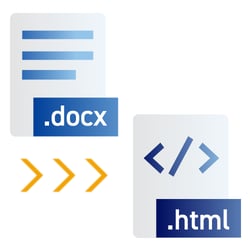
02 Proprietary program to convert DOCX to HTML without Word
Our proprietary conversion engine allows DOCX documents to be converted to HTML even if Microsoft Word is not installed.

03 Extensive built-in interfaces
Command-line, .NET, and Java interfaces are available, allowing easy integration into applications and automated workflows.


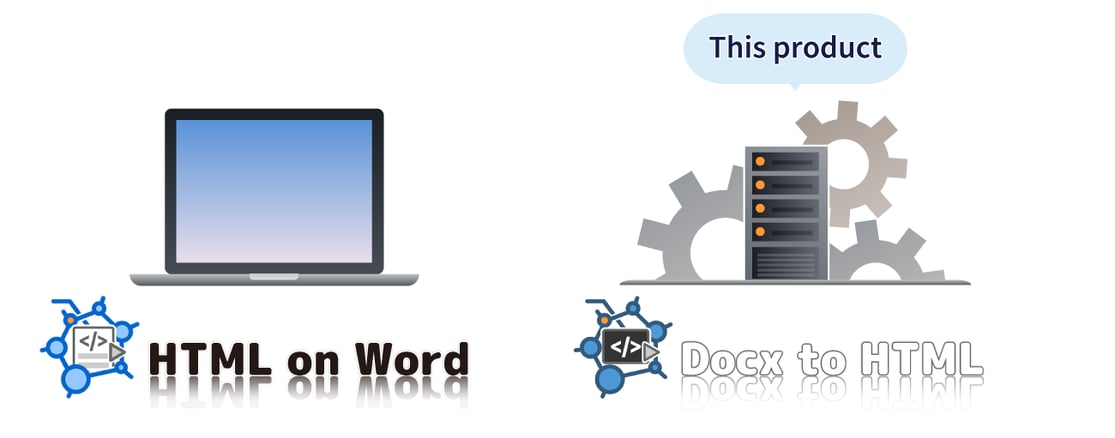
You can choose the product that best suits your needs, from the stand-alone product HTML on Word which can be used easily, to the library product Docx to HTML, which can be integrated into services.

If you want to convert a Word document to HTML on a standalone PC, HTML on Word is available.
Word documents are analyzed and processed for HTML conversion, and a wide range of options are available.
“Docx to HTML” and “HTML on Word” have the same conversion features and options, with the exception of a few features.

Convert docx file to HTML |

Convert Word's style to HTML |

Convert Word's ToC |

Split HTML output |

Output Embedded images |

Support smartphones |

Sample CSS included |

Command-line |

Java and .NET (Online manual for details) |
The new V2.0 introduces a number of new features and enhancements designed to make Docx to HTML even more practical and powerful.
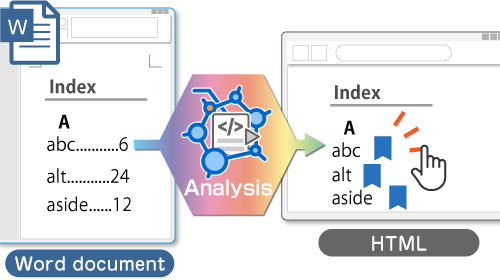
Microsoft Word does not allow links to be created directly to index entry positions. Docx to HTML’s unique analysis process enables these hyperlinks to be generated and preserved during HTML conversion.
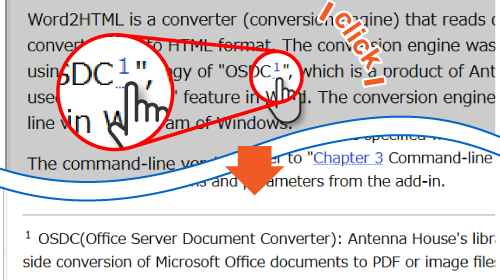
Footnotes inserted in Microsoft Word are now supported during HTML conversion. Output behavior can be configured using options.
Note: Endnotes have been supported since previous versions.
Many additional enhancements are included. For a full list of updates, please see the feature introduction page.
In addition to standard Windows operating systems, Docx to HTML can be installed and used in Windows Server and Linux environments.
→ Supported Systems and Restrictions
For details on the restrictions that apply to Docx to HTML, please see the HTML on Word documentation.


Awards


Proud Member



Contact
Privacy Policy | © 2026 Antenna House, Inc.